01
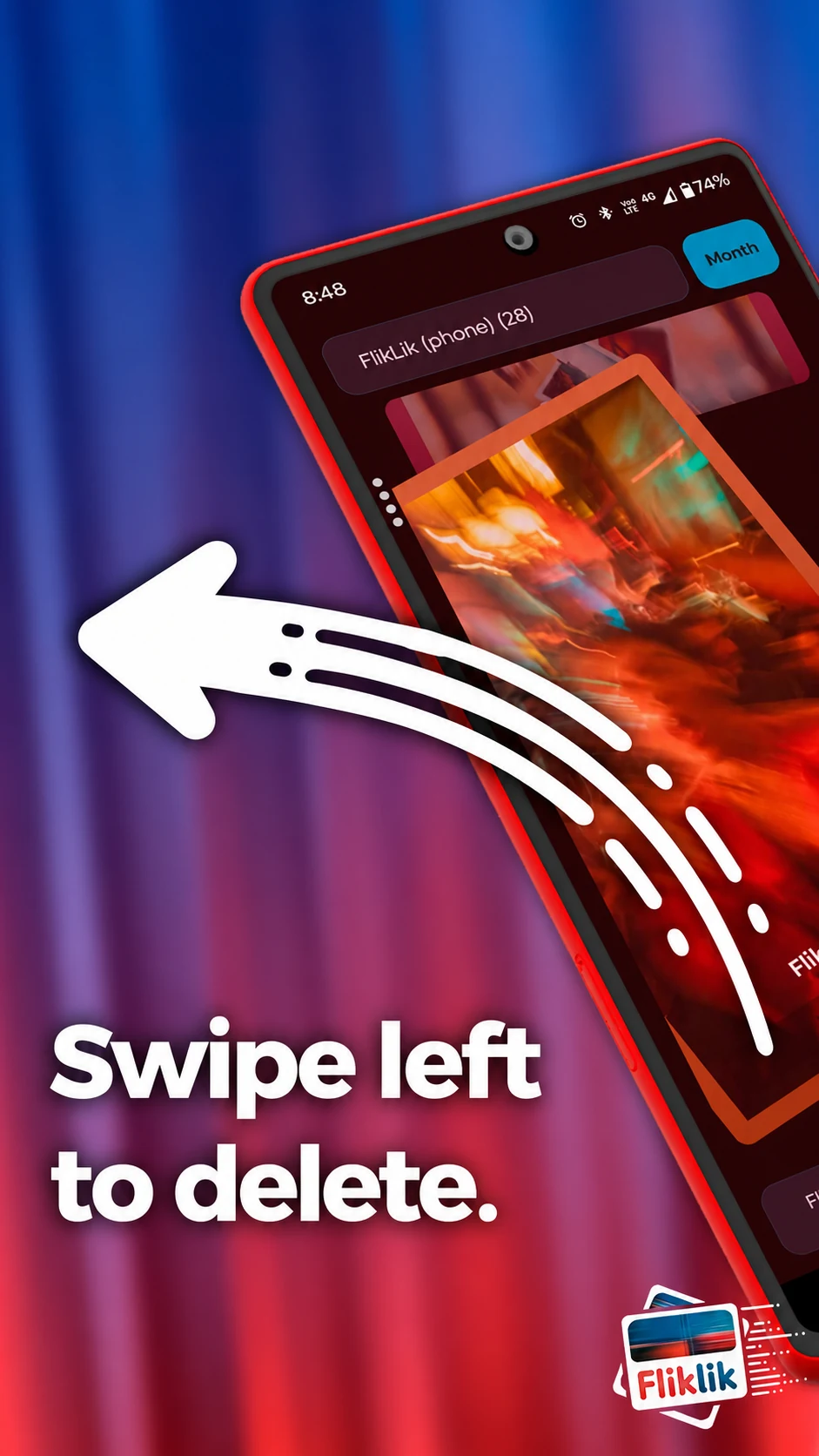
Flik left.
Queue a file for deletion. A blurry shot, a screenshot you’re done with, one more photo of the same thing.
A decision, not a deletion yet. FlikLik
Manic Trash Panda ↗
FlikLik
Manic Trash Panda ↗
Android beta · coming soon
The screenshots, the almost-good shots, the keepers. Sort your photos and videos with a flick, then make the changes when you’re ready.
Flik. Lik. Done.
On your device. No account. No ads.
Flick to sort
Undo before Apply
Review, then commit
Two directions. One decision.
Keep moving through your gallery. FlikLik holds your decisions in a queue until you tap Apply.
Queue a file for deletion. A blurry shot, a screenshot you’re done with, one more photo of the same thing.
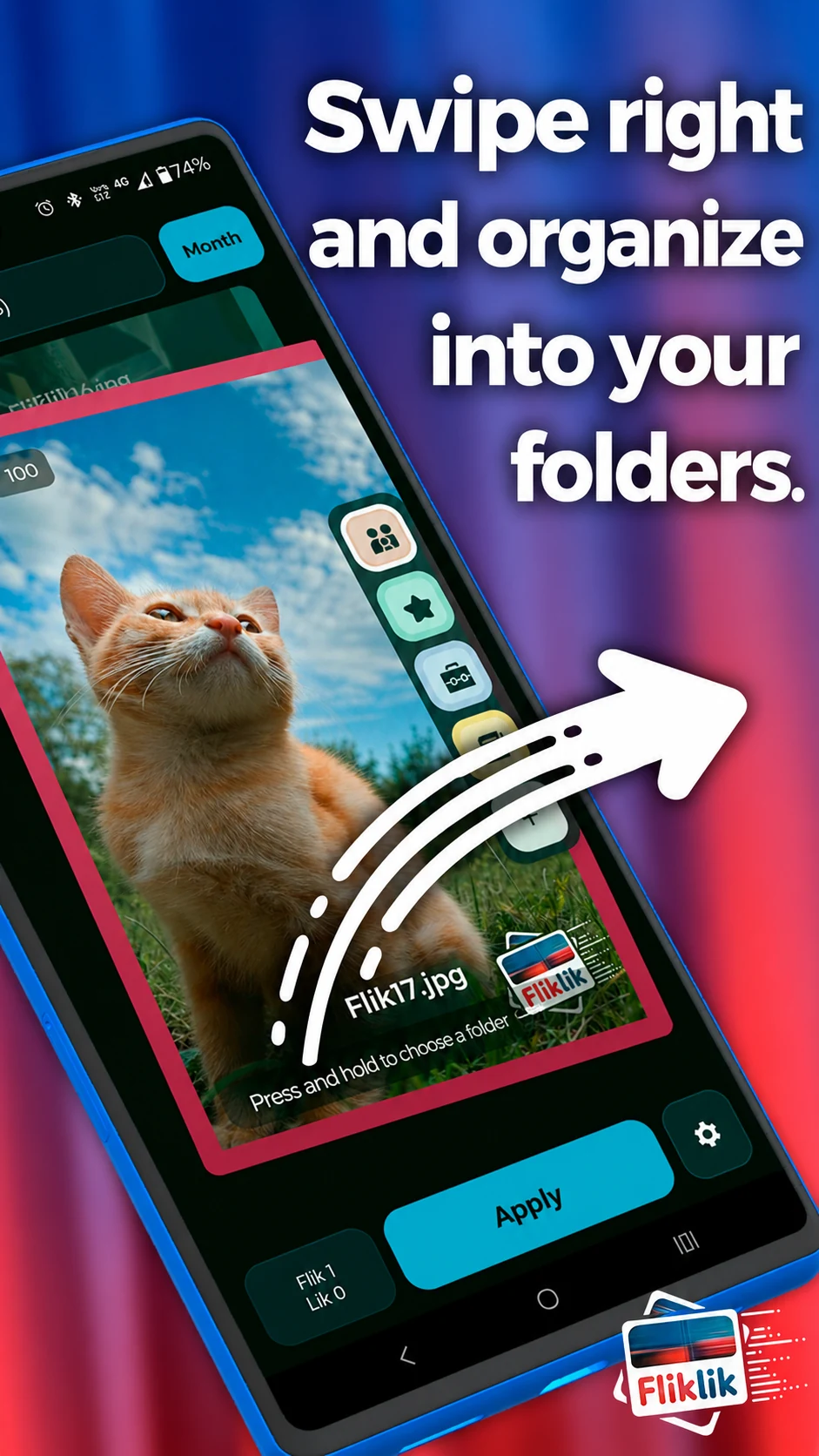
A decision, not a deletion yet.Queue a move to a folder. Use the active folder, or flick and hold to choose another from the folder ribbon.
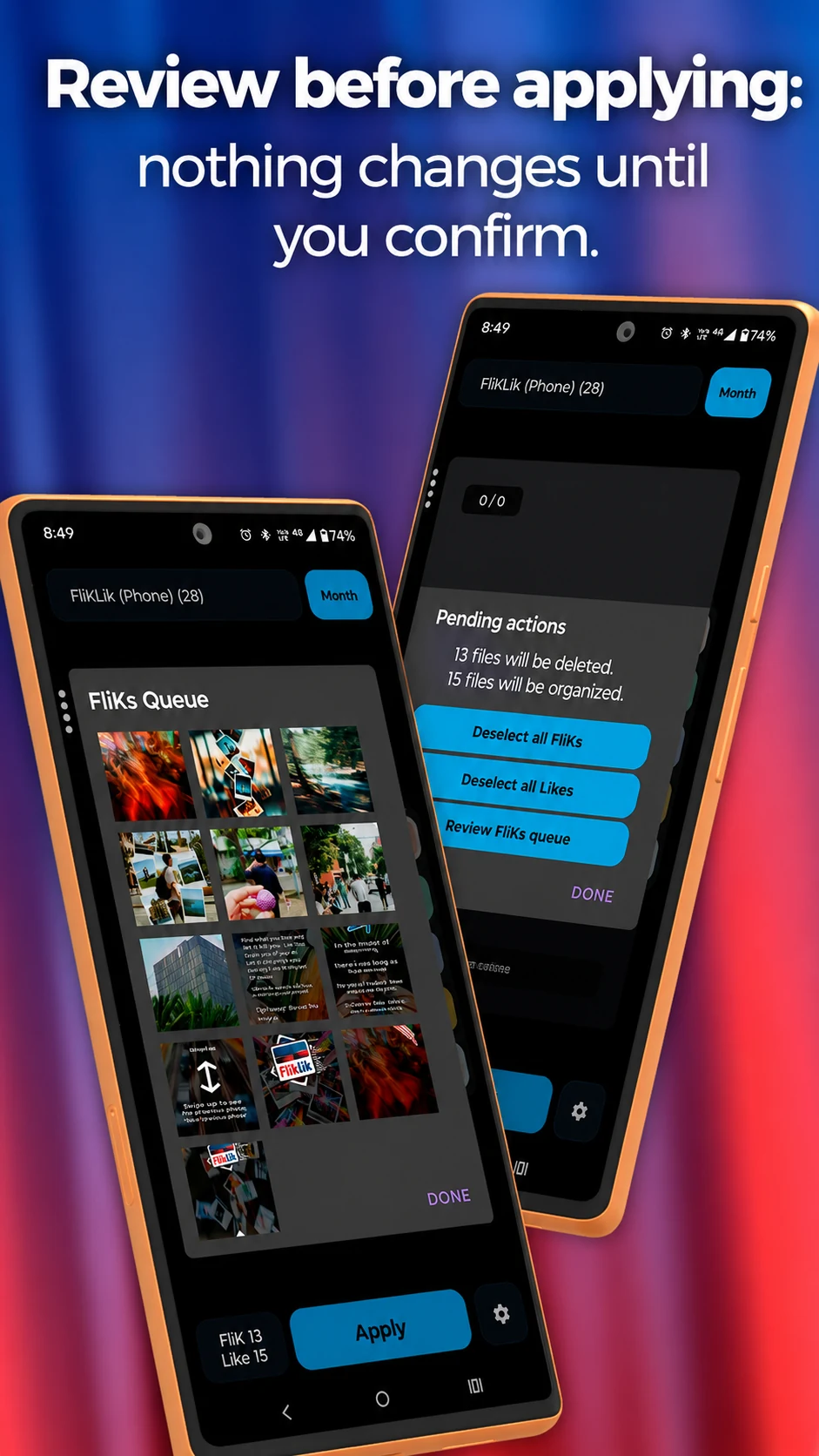
Receipts. Work. Family. Keepers.Check the queues, undo anything you reconsider, then tap Apply. Android may ask you to approve the changes.
Your files change when you’re ready.Inside FlikLik
A look at the app: swipe to sort, choose a folder, and review your decisions. Your files stay unchanged until Apply.
For the gallery you actually have
Include videos, browse a month at a time, and choose which source folders appear in your deck.
Open burst stacks and groups of potential duplicates. Decide what stays, one file or a whole stack at a time.
Build your own folder ribbon. Name, pin, and arrange folders, using phone storage or a supported SD card.
Review queued deletions and folder moves. Undo before Apply. Unfinished operations stay queued for another try.
Your gallery stays yours
FlikLik processes your photo library on your phone. It doesn’t upload your gallery, require an account, or serve ads.
Sharing a file or a diagnostic report happens only when you choose to share it, through an app you select.
A few things to know
No. A Flik queues a deletion. You can review or undo it before tapping Apply. Once a deletion completes, it is permanent.
FlikLik supports Android 8.0 and later. Available permissions and storage behavior depend on your Android version and phone. Optional media management access starts with Android 12.
No. You can keep using Android’s normal confirmation dialogs. Media management is separate from photo and video access and can be revoked in Android settings.
Completed work is saved. Unfinished or unconfirmed operations remain queued, with a recovery message. Restore access and retry Apply, or undo the queued action.
No. Potential duplicates are grouped for review. You decide which files to queue and when to Apply.
English, Arabic, German, Spanish, French, Hindi, Indonesian, Italian, Japanese, Korean, Brazilian Portuguese, Russian, Thai, Turkish, Vietnamese, and Chinese. Spanish includes a Mexican variant; Chinese includes traditional and simplified text.
Android beta · coming soon
FlikLik is preparing for beta testing. The download link will appear here when testing opens.
Questions or feedback? Get in touch