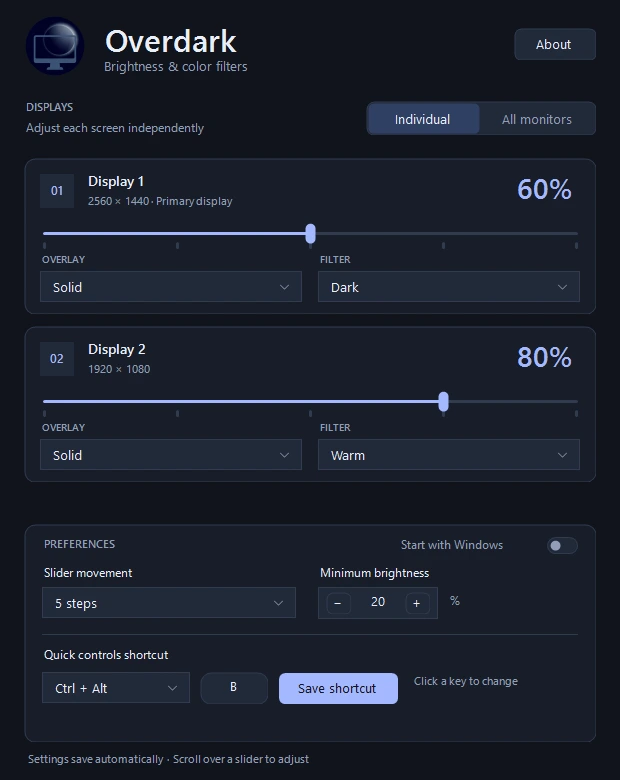
01 / DISPLAYS
Separate or together.
Set each monitor independently, or switch to one slider for all monitors. Individual settings are kept for the next time you switch back.
Manic Trash Panda / Software Labs
Turn down the glow without reaching for the monitor buttons. Overdark puts independent brightness sliders a click or a shortcut away.
Microsoft Store listing ↗Free utility · Windows 10 (2004+) & 11 · x64
Store release is being prepared. Downloads will open after certification.
Software overlays work without monitor brightness-control support.
No subscriptions, ads, or in-app purchases.
Settings stay on the PC. No app analytics or telemetry.
Small utility / Useful details
01 / DISPLAYS
Set each monitor independently, or switch to one slider for all monitors. Individual settings are kept for the next time you switch back.
02 / OVERLAYS
Use a smooth solid overlay, or a pattern of true-black dots. The experimental dot mode covers up to half the pixels, with OLED displays in mind.
03 / FILTERS
Keep it dark, add a cool or warm tint, or choose a vignette to dim the edges more than the center. A value of 100 clears the overlay.
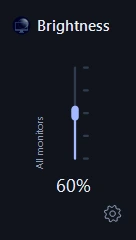
A click / A scroll / Done
A few practical things
No. It draws click-through overlays over the desktop. Your monitor’s backlight and hardware brightness setting stay as they are. The slider is an overlay strength control, not a calibrated luminance measurement.
It places small, opaque black points across the display. At the bottom of its range, half the pixels are covered; at 100, none are. Dots may be visible on fine text and patterns. It is an experimental alternative to solid dimming, without a promised power-saving benefit.
It is designed for the normal Windows desktop and multiple monitors. Secure Windows screens and some exclusive fullscreen applications may appear above the overlay. HDR and display color settings can affect the result.
Set the sliders to 100, choose Pause from the tray menu, or exit Overdark. Overdark does not change your monitor’s hardware brightness.
No. It does not capture the screen, log keystrokes, or send usage data. The shortcut only opens its controls. Read the privacy policy for the full details.
Made by Manic Trash Panda Software Labs
Questions or a bug to report? Include the Windows version and what happened.